- Efficiency and Time-Saving Benefits
- Accuracy and Error Reduction
- Convenience and Accessibility
- Enhanced Security Measures
File Your IRS Form 720 Online
in 2 minutes!
- Still mailing your IRS Form 720? Switch to online Now!
- 24/7 Expert Support.
- No Software Download.
2 Key Reasons to
File Your IRS Form 720 Online
Avoid Risks
Mailing your IRS Form 720 carries the risk of it getting lost in transit. Additionally, failing to submit the form on time may lead to future penalties from the IRS.
Simplify the Process
Filling out Form 720 manually can be tedious and time-consuming. Switching to online filing streamlines the process, making it faster, easier, and more convenient.
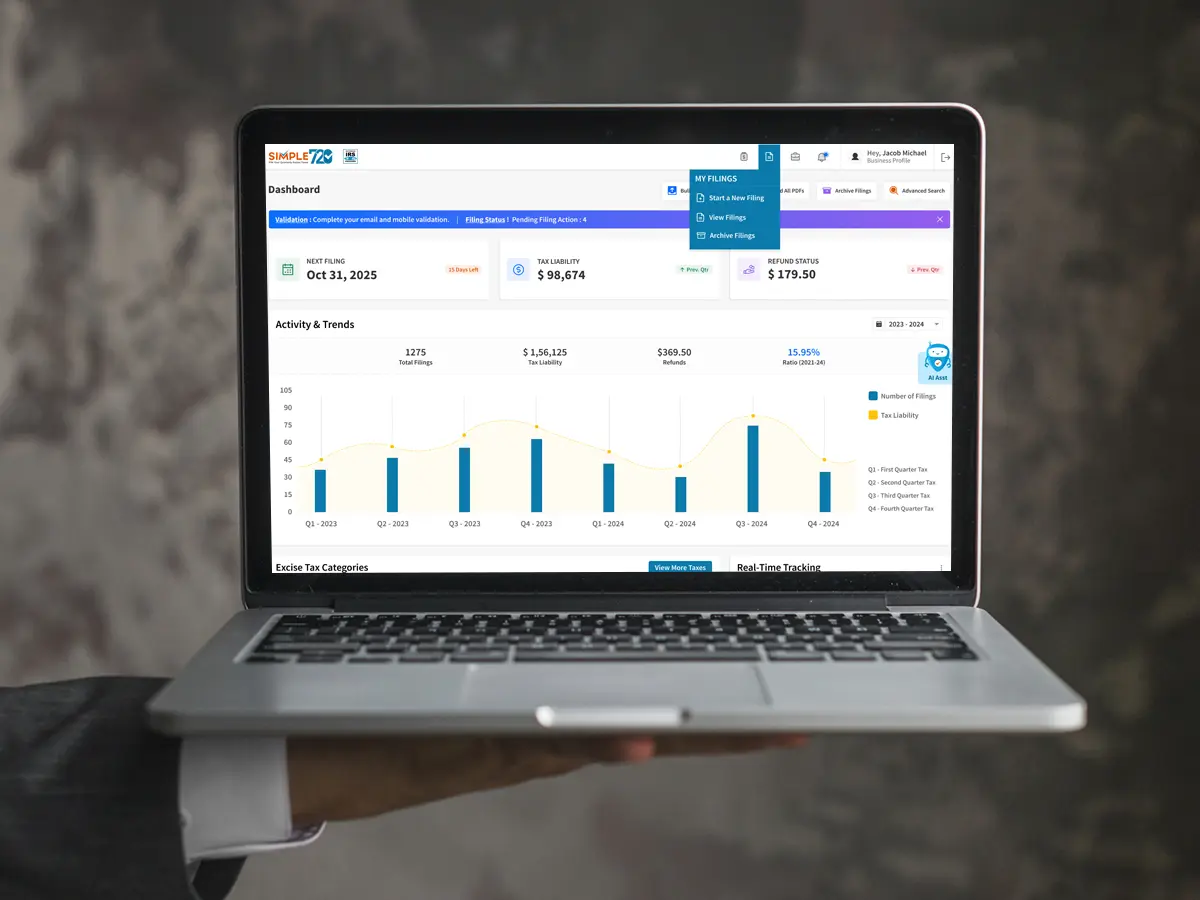
File your Federal Excise Tax Online with the IRS Authorized Form 720 E-File Service Provider!
Just a Few Steps to File Your Form 720 IRS Online!
Form 720 Paper Vs Online (Filing Journey)
Paper Method
- Step 1: Download Form 720 Visit the official IRS website and download the most recent version of Form 720. Make sure you’re using the correct form for the current tax year.
- Step 2: Enter Business Information Fill in your business name, Employer Identification Number (EIN), contact details, and the quarter ending date for which you’re filing.
- Step 3: Select Filing Category Identify and select the appropriate filing category that matches your business activity. Double-check that this category aligns with your tax obligations.
- Step 4: Enter Quantity and Tax Details For each applicable category, enter the required quantity (e.g., gallons of fuel, number of vehicles, etc.) and ensure the correct tax details are filled in.
- Step 5: Attach Additional FormsAttach any additional forms required for your filing category, such as Form 6627, Form 6197, Form 7208, or others.
- Step 6: Calculate Tax Amount Using the applicable tax rates from the form, calculate the total tax due based on the quantity provided. Double-check your calculations to avoid errors.
- Step 7: Check Instructions for Accuracy Carefully review the IRS instructions specific to your filing category. These instructions will ensure you comply with any special requirements or exemptions.
- Step 8: Total Tax Liability Add up the amounts from Parts 1, 2, and 3 of the form. Ensure that the total matches your calculated tax liability and check if there’s a balance due or overpayment.
- Step 9: Prepare Payment If you owe taxes, write a check for the total amount due. Make the check payable to the correct IRS mailing address and ensure it’s for the correct amount.
- Step 10: Complete Payment Voucher Fill out the payment voucher, including your EIN, the amount of payment, the tax period, and your business details. This voucher serves as confirmation of your payment.
- Step 11: Sign, Date, and Review Sign and date Form 720. Review the form and attachments to ensure all information is accurate and complete. Correct any errors before submission.
- Step 12: Mail, Track, and MonitorMail the completed form, attachments, and payment voucher to the correct IRS address. Keep copies for your records and monitor for any IRS correspondence confirming your filing or indicating discrepancies.
Online Method
- Step 1: Create Account and Log In - Register and log in to the e-filing portal using your credentials.
- Step 2: Enter Business Information - Provide your business name, EIN, type, and contact details.
- Step 3: Select Form and Filing Category - Choose Form 720 and the appropriate filing category.
- Step 4: Enter Tax Details - Provide necessary details, including quantity, tax dates, and other relevant information.
- Step 5: Review and Make Payment - Verify the auto-calculated amount from the portal and complete the payment.
- Step 6: Receive Acknowledgment and IRS Approval - Get instant acknowledgment and wait for IRS processing and approval.
All 66 Form 720 Excise Tax Categories in One Platform
Why Federal Excise Tax Filing Online
Instead of Paper Filing?
- Loss in Transit, Compliance Risks
- Time-Consuming Process
- Increased Risk of Errors
- Delayed Processing
Last quarter, I used the Simple 720 Portal for my PCORI filings, and the process was incredibly smooth—I completed everything in just a few minutes. I used to stress a lot about filing, but now I feel at ease knowing I can handle it with just a few clicks. I've since started using Simple 720 for both my PCORI and complete excise tax filings.
We’ve been filing Form 720 online through Simple 720 for the past three quarters, and it has saved us a tremendous amount of time and effort. This has allowed my team to focus more on other critical operational tasks. Kudos to Simple 720 for their exceptional product and outstanding customer support!
Over the past three quarters, we’ve successfully transitioned to filing our IRS Form 720 online, leading to substantial time and energy savings. This efficient process has enabled our team to focus more on other essential operational tasks.
Why Simple 720?
Interface
Customer Care
Expertise
Pricing
Process
Frequently Asked Questions
- IRS Approval : Ensure the platform is IRS-approved to guarantee compliance and security.
- User-Friendly Interface : The portal should be easy to navigate, allowing for a smooth filing process.
- Efficient Processing : Choose a provider that offers fast and time-saving services, requesting only the necessary information.
- Customer Support : Reliable customer support is essential to assist with any issues during the filing process.
- Department of the Treasury,
- Internal Revenue Service,
- Ogden, UT 84201-0009.
- Always check the latest IRS instructions to confirm the correct mailing address, as it may vary based on specific circumstances.
Want to learn more?
Request a free demo today! Our experts are ready to assist you.
Book a Demo